Checking companies in the trade register
Do not ask a model if a company exists and what kind of company it is. That is in the trade register. This step looks up every company from the documents at the Dutch Chamber of Commerce (KVK) and puts the registration next to it, with the date of the lookup. It is the data layer under Lucy. The same step also fits in another process, such as a client check or a contract in which the parties must be right.
lucy.mino.law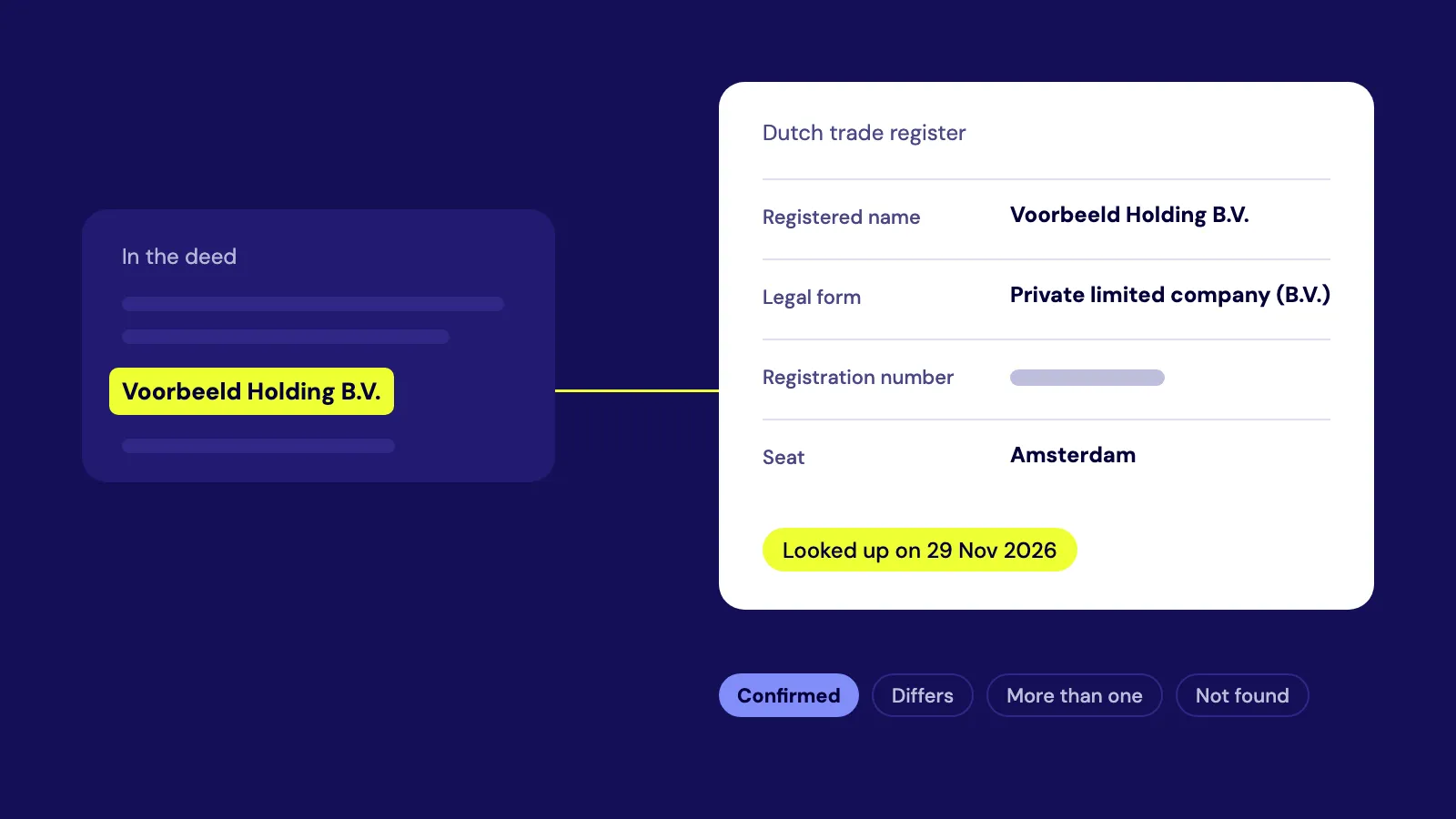
- What goes in
- The name or the registration number of a company, as it is written in the documents.
- What comes out
- The registration from the trade register next to what the documents say: registered name, legal form, registration number, RSIN and seat, with the date of the lookup. And one of four results: confirmed, a difference, more than one possible registration, or not found.
- What this adds to ChatGPT or Copilot
- The data comes from the register and not from the model's memory. The register does not replace what the documents say. It is shown next to it, and when the two differ, the lawyer chooses.
- Built as
- Data layer in Lucy, can also be built as a separate step in another process
- Who built it
- Vlad Ionescu built this.
Engineering
The technology
The step uses the official KVK APIs: search by name or number, and the basic profile for the legal form. The key stays on the server. The model only reads the documents. The register data comes after that, in a fixed step in code, and is shown as extra data next to what comes from the documents. Before names are compared, they are made equal: capitals, accents and an ending such as B.V. do not count. When more than one registration is possible, the lawyer gets at most five candidates to choose from. Natural persons are never looked up, and a registration that belongs to a natural person, such as a sole proprietorship, is refused. All register data shows the date of the lookup and the required notice that you must use the trade register itself for current information. If a lookup fails, the rest of the work goes on. Through Mino's MCP server an AI assistant can also look up a company and link it to the chart.
- 01 TypeScript
- 02 KVK API (Zoeken, Basisprofiel)
- 03 zod
- 04 Next.js
- 05 Model Context Protocol
Insights
The story
Lucy: a structure chart where you see where every line comes from
A structure chart for a deal starts with emails, deeds and a spreadsheet nobody fully trusts anymore. Lucy reads those documents and draws the chart, and for every box and line you see which document it rests on. Lucy is available via Mino.
Read the storyDoes your team have a task like this?
Get in touch