Large employers in the Netherlands report every year on how their people travel: to work and for work. The rules are in a decree, and the government wrote a guidance document, the handreiking, that explains how to collect and count the data. It is a long and careful text. An employer still has to turn it into numbers.
The Ministry of Infrastructure and Water Management asked us to build the tool for that. It is now on the RVO website as the werkblad for the reporting obligation.
Dielis Delen built most of it.
The law was already written
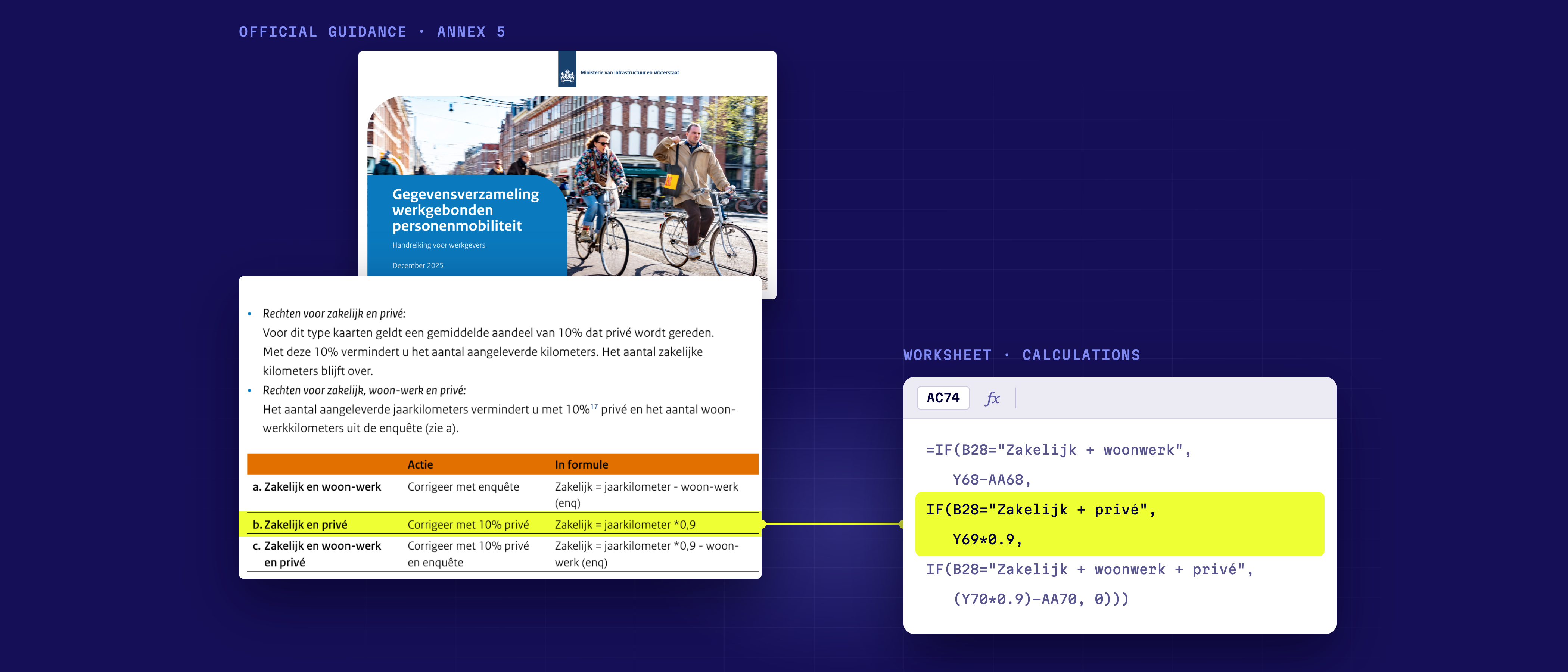
We did not interpret the rules. The decree and the handreiking were there, and our work was a practical extension of them. In effect we turned written text into formulas.
That sounds simple until you do it. A sentence in the guidance can hold a whole calculation. Take travel rights with a mobility provider that cover both business and private travel: the guidance says to deduct 10% for private use. Or the daily distance: an employee enters the total distance for a day, there and back, so the formula must not double it again. Each rule like that became a formula, and each formula was tested against worked examples until the outcome matched what the guidance says it should be.
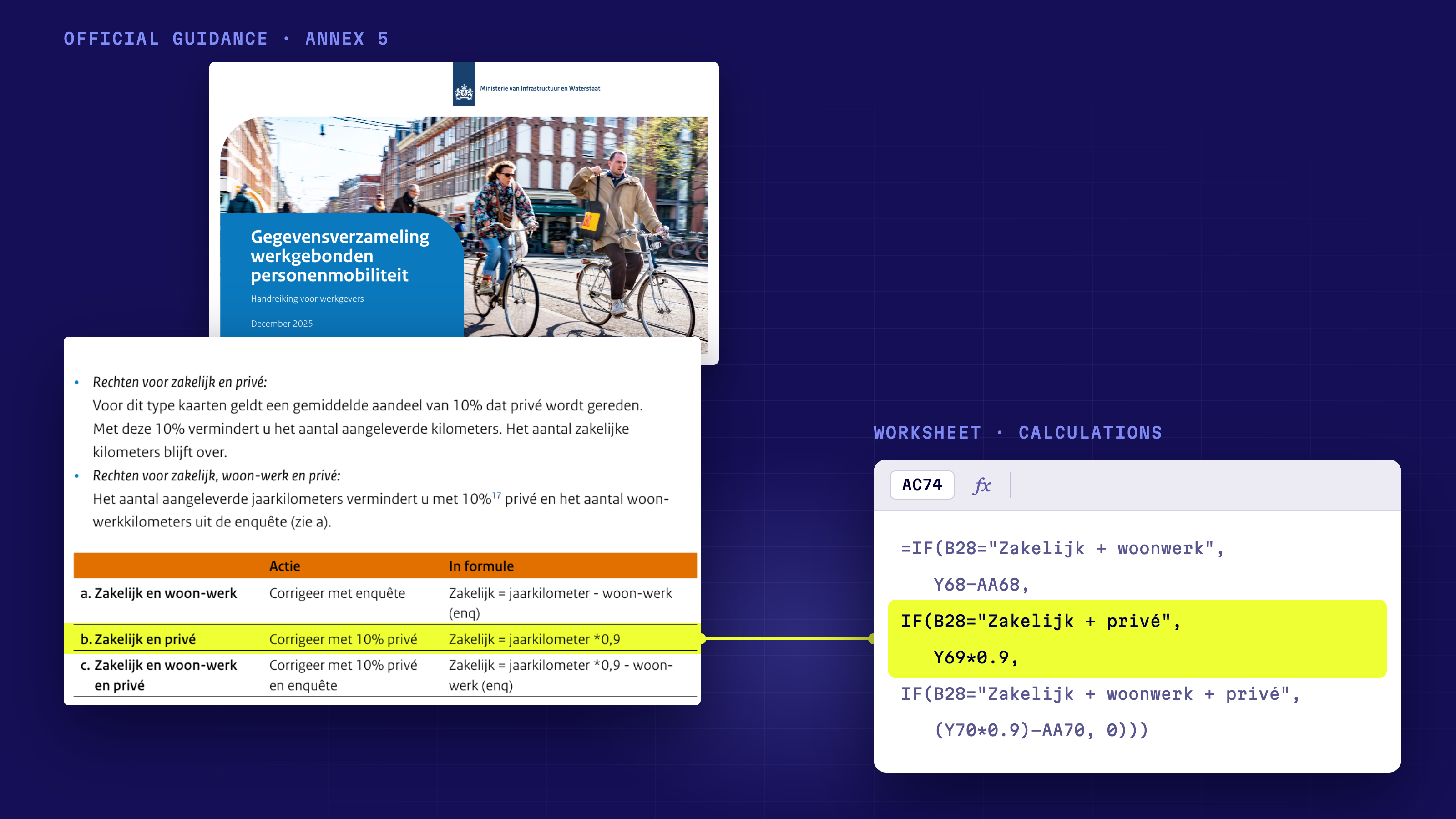
It had to work in Excel
The second condition was the medium. It had to be an Excel file that any employer can download and use, with nothing to install. There are no macros in it.
The result has nine tabs and about 14,800 formulas. Most of them sit in two places: the tab that reads the survey answers, and a calculation tab behind it. An employer does not see those. They see a start tab, input tabs for each kind of travel and a result tab.
The survey comes first
For most employers the work starts with their own people. Who comes to work by car, on what fuel, how far, how often? So we built a survey template in Microsoft Forms that an employer copies into their own environment and sends to employees.
The answers come back in Forms’ own export format. The worksheet has a tab where the employer pastes that export as it is, with room for about 5,000 responses. Formulas then convert every answer, through a lookup table, into the categories the report uses: car on petrol, car on diesel, fully electric, moped, and so on.
From there the numbers flow through. Survey, company cars, mobility providers and expense claims come together on the result tab, which shows the exact figures the employer has to enter in the government’s online form.
Built to be explained
The ministry and RVO went through the worksheet in several rounds. They checked the calculations and RVO edited the texts. One question kept coming back: can someone at RVO answer an employer who calls about this?
That shaped the last round. The input fields got notes that explain what goes in, and the tabs themselves got more explanation.
The workflow page has the technical details.