← All workflows
Turning travel data into a mandatory report
Large employers report every year on how their people commute and travel for work. The worksheet turns the data they collect into the figures RVO asks for.
www.rvo.nl/onderwerpen/rapportage-wpm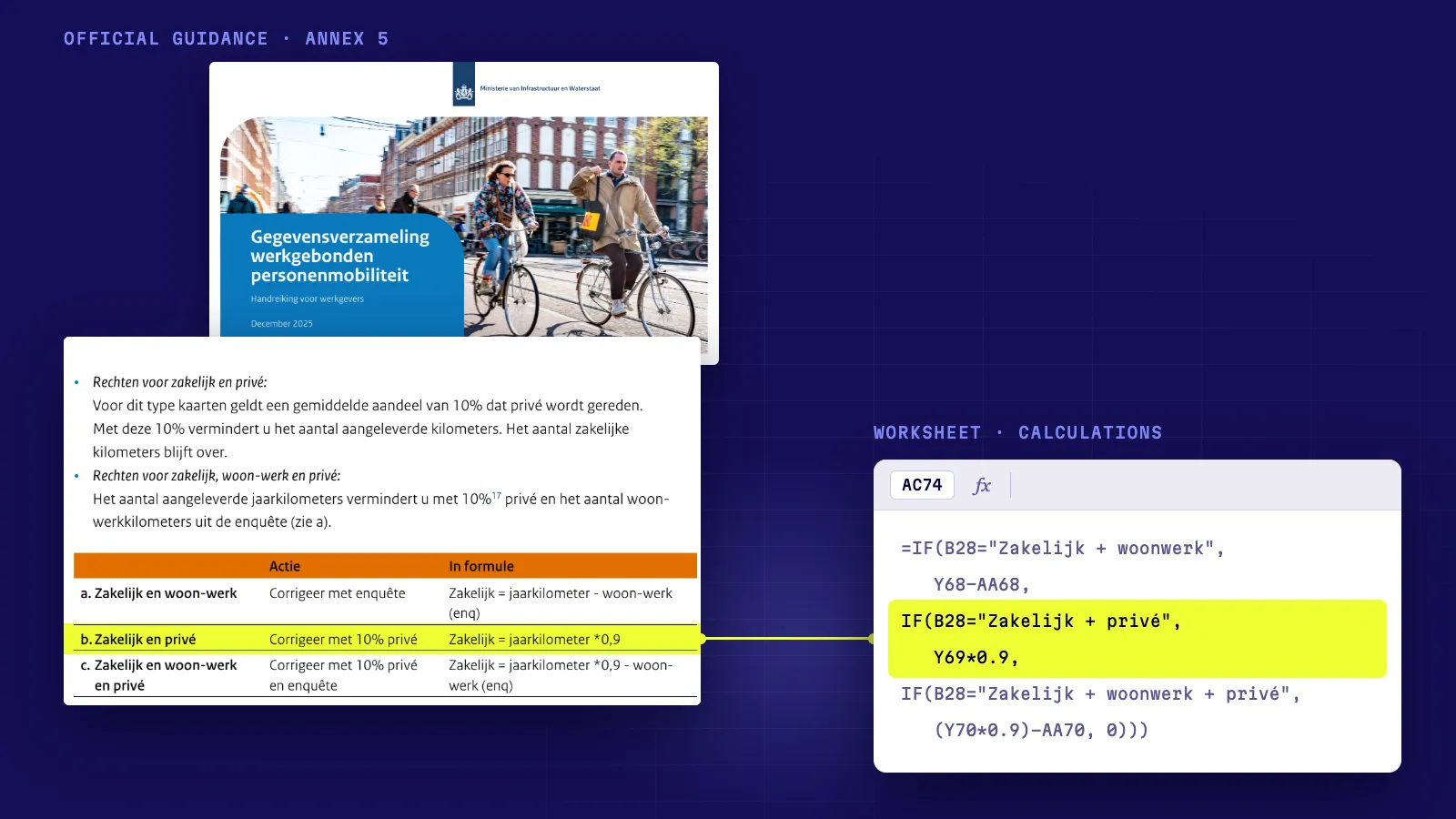
- What goes in
- A survey of employees on how they travel to work, the data on company cars, the travel rights with mobility providers and the expense claims.
- What comes out
- Every figure for the report, calculated according to the official guidance, ready to copy into RVO's online form.
- Built as
- Excel worksheet with a survey in Microsoft Forms, published by RVO
Engineering
The technology
Nine tabs and about 14,800 formulas, with no macros. Employers copy the survey into their own Forms environment and paste the answers into the worksheet. From there everything is calculated: per employee, per mode of transport and per fuel. Fixed rules from the guidance are built in, such as the 10% private use deducted from travel rights for business and private travel. Employers install nothing: it runs in Excel, which they already have, and RVO publishes it as one file on its website.
- 01 Excel
- 02 Microsoft Forms
- 03 INDEX/MATCH
- 04 IFS
- 05 data validation
- 06 no macros
Does your team have a task like this?
Get in touch