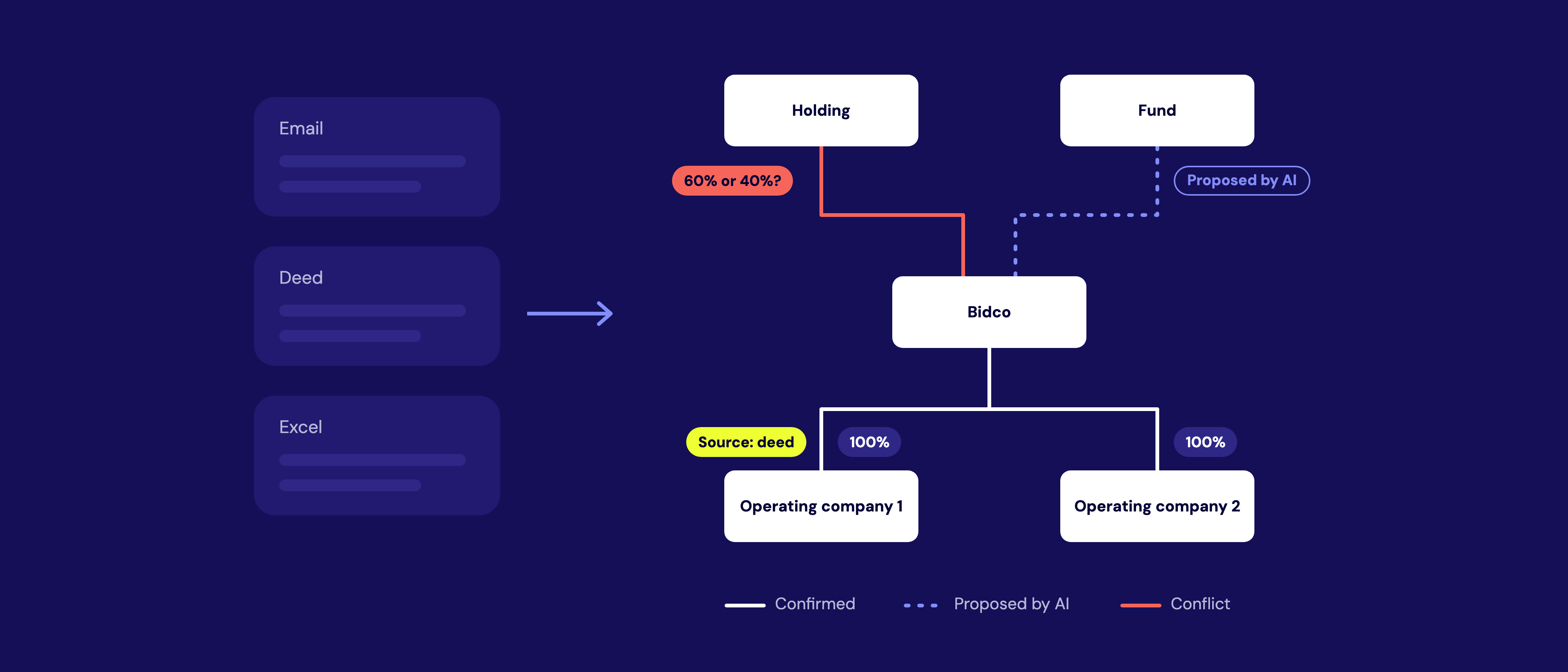
Every deal starts with a drawing. Someone at the firm opens PowerPoint and draws the structure. The holding is at the top. The operating companies are below. The percentages are on the lines. The information comes from many documents: the articles of association, an old shareholders register, three deeds and an Excel file that a colleague made years ago.
At Patroon we made these drawings for ten years, for lawyers and for their clients. Drawing was never the hard part. The hard part came three weeks later, when someone asked: where does this 30% come from? The chart was in a presentation. The client had sent it to the bank. And only the person who made it knew which sentence in which document was behind the number.
This is why we built Lucy, the part of Mino that draws structure charts. I wrote about the product on mino.law. Here I want to show the method behind it.
Why not just let Claude do it?
You can. Give Claude or ChatGPT the documents and ask for a structure chart. You will get one, and it will look good.
But you cannot check it. A line says 30%, and you do not see which document says so. When two documents give different numbers, the model picks one and does not tell you. And the model is never sure. It gives the answer that looks most likely, and that is not the same as the right answer.
For a chart that goes to a client and a bank, that is not enough. You need to see the source of every line. So we still use a model, but only for the steps where a model is good. The other steps get data, or the lawyer.
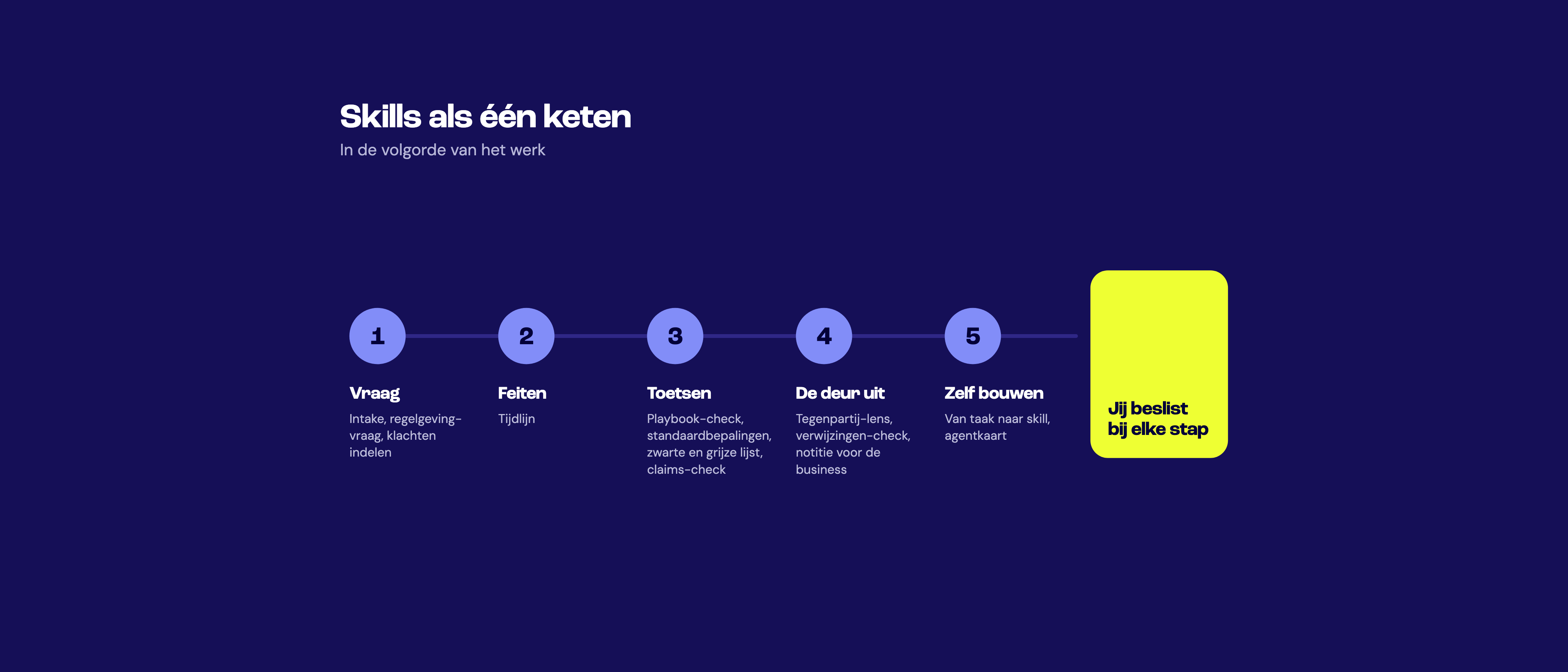
There are six steps.
1. Collect the documents
This step is for the lawyer. A structure chart needs the same documents almost every time: the extract from the trade register, the shareholders register and the articles of association. Sometimes you also need deeds or the purchase agreement. If a document is missing, the lawyer marks it as missing, and the chart shows the gap.
The lawyer also tells the system things that are in no document. Which company is the target? Do two names mean the same company? Which number is the newest?
2. Read the documents
This step is data and model. Code reads a spreadsheet cell by cell, so the rows and columns stay as they are. Normal text is different. Someone has to read a deed or an email, and a model is good at reading. It finds the companies, the people and the shares.
3. Check every fact against the text
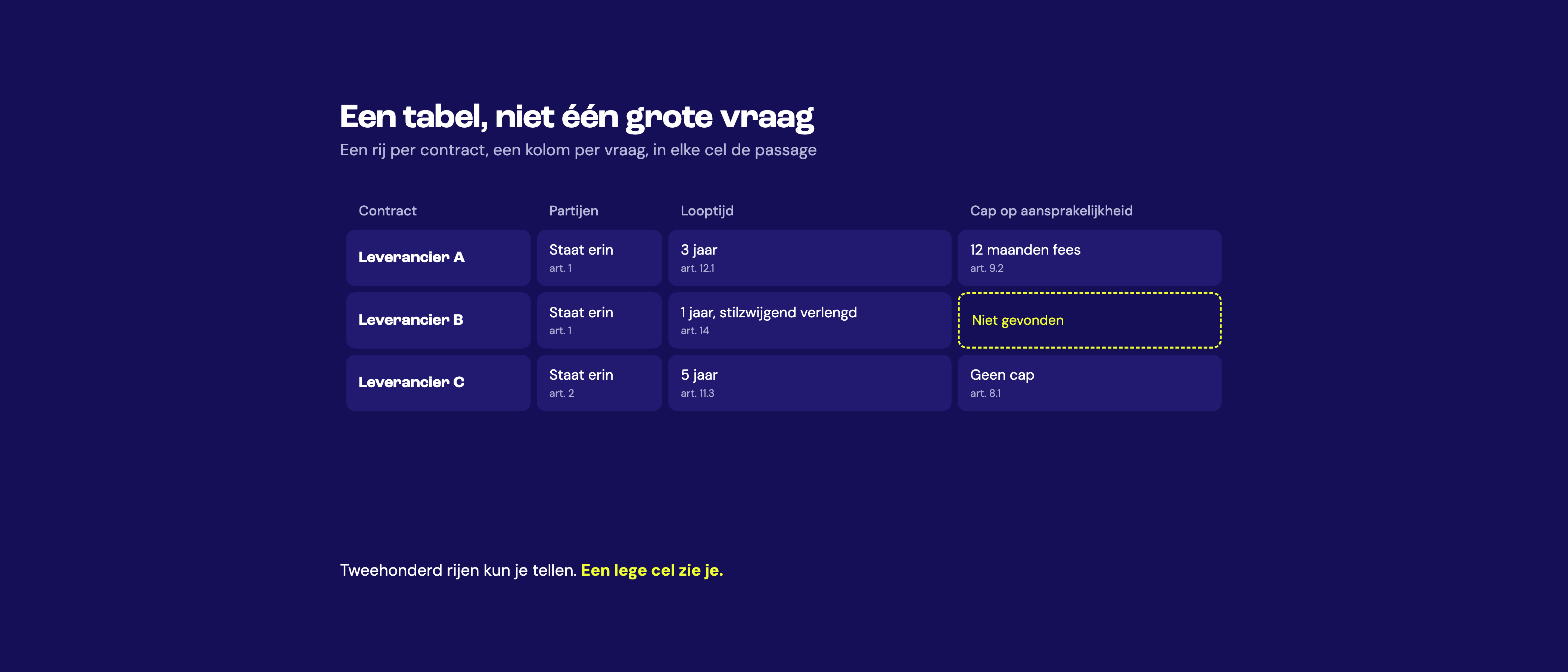
This step is data. The model must give the exact sentence for every fact it finds. Then code looks for that sentence in the document. If the sentence is not there, the fact is removed.
Our biggest worry was a model that gives a percentage that is in no document. This step stops that. It is also why every box and every line can show its source: the document, the sentence and the date. For a spreadsheet you see the sheet and the cell.
4. Check the companies in the trade register
This step is data. The system looks up every company in the Dutch trade register. If it finds the company, the chart shows the registration number and the date of the check. The register tells you that a company exists and what kind of company it is. It does not tell you who owns it. That comes from the documents. People are never looked up.
This step also works on its own, in other processes. It has its own workflow page.
5. Decide when the documents do not agree
This step is for the lawyer. In a real deal, the documents often do not agree. The register says 30%. The deed says 25%. The Excel file has a third number, because it is older than the last change.
The model does not choose. The line turns red. The lawyer sees both documents, each with its sentence and its date, and decides. You can pick one document, say that both are wrong and give a reason, or skip the question and come back later.
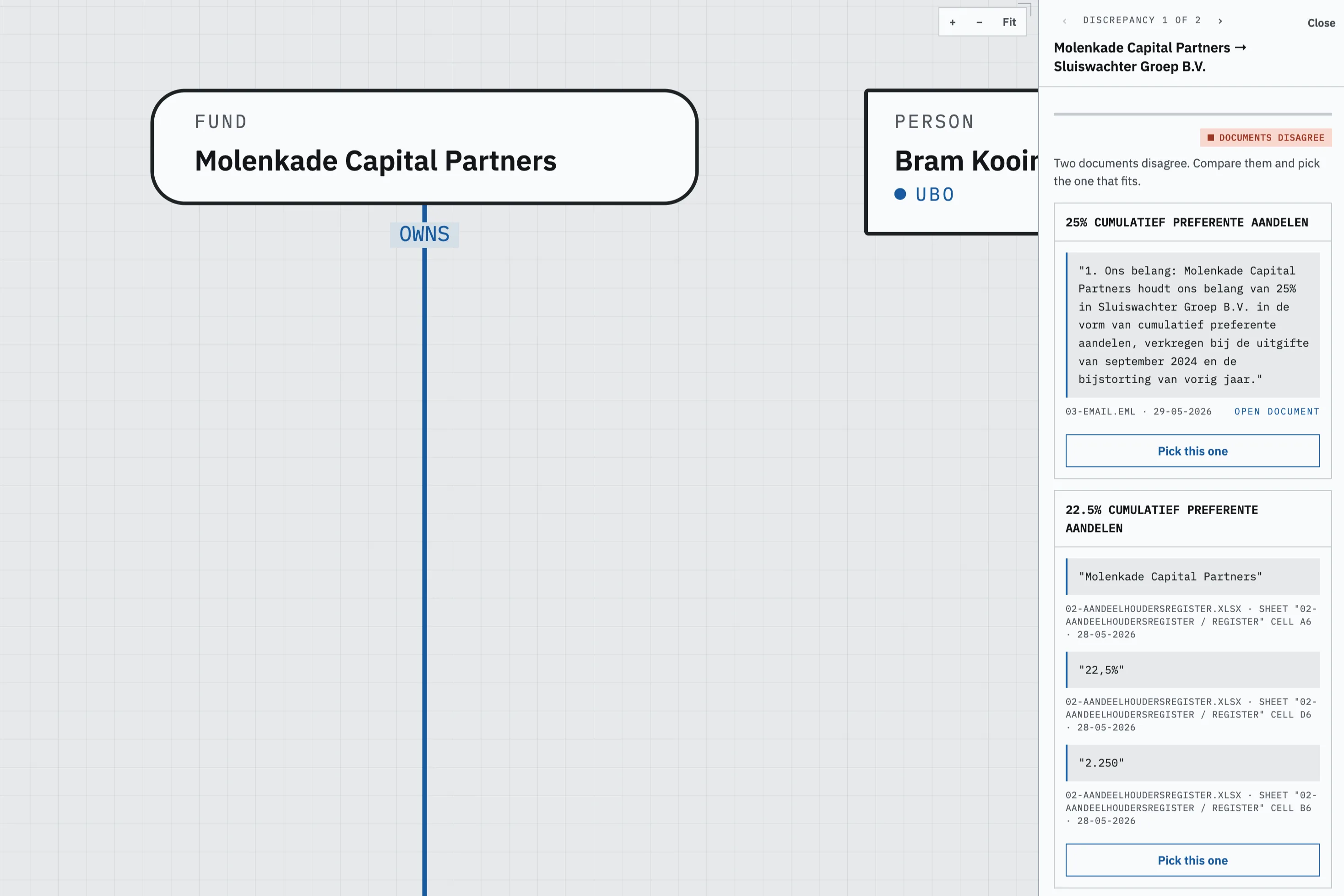
Every line is only a proposal until the lawyer has looked at it. And if the owners of a company add up to 88%, the chart shows that 12% is missing. It does not hide the gap.
6. Go through the deal step by step
This step is model and lawyer. A chart shows one moment. A deal has many moments: shares are sold, new shares are issued, a company is set up, two companies merge. The model finds these steps in the documents, each with its source. The lawyer can add a step, change the order or say that a step is wrong.
Then you click from before to after and see what changes at each step. This is the drawing you show the client before anyone signs.
You can also do this from your own AI
Many lawyers already use an AI assistant all day. Through MCP, the same workflow works there. Your assistant can read a chart with its sources, look up a company in the trade register, or save a correction.
A correction from your assistant follows the same rules as a correction in the application. The chart shows that you added it, and it keeps your reason. If your change goes against the documents, the assistant tells you and asks before it saves.
So the answer to “why not just let Claude do it?” is: let Claude do it, but inside these steps. Then you can check the result.
What stays with the lawyer
We test Lucy on invented deals where we know the right answer. In the first test it found all 25 companies and people, and 21 of the 24 lines. The three lines it missed were questions of judgement. In one of them, an email changed a percentage from an earlier email without saying so.
So the chart is not finished when the model is done. It is finished when the lawyer has checked every line. I wrote about this split in what a legal engineer does: data where the answer must be right, the model where something must be read, and the lawyer where someone must decide.
Two ways to use this
You can use it out of the box. Lucy is ready, as part of Mino. You add your documents and start.
Or you can use the method. Cut the task into steps. Decide for each step if it needs data, the model or the lawyer. Make every result easy to check. This works for other legal work too, and we build such workflows with legal teams, in the software they already use.
You can read how Lucy is built on the workflow page.