“By the time I have checked it, I could have done it myself.” I hear this in almost every session, and it is a fair objection.
Lawyers on r/legaltech call it the question they ask most. One of them let an AI tool compare eleven related contracts and got a memo of twenty pages. Without checking it would have been an hour of work. With checking it was a day. And when Anna Guo asked close to a hundred practitioners why they use an AI tool more, being able to check the output ranked above accuracy, as she said on the Law://WhatsNext podcast.
So the objection is right. If you get a polished memo and have to verify every sentence against the documents, the gain is gone. But that says something about how the output was made. How long checking takes is decided when the workflow is designed, long before a lawyer reads the result.
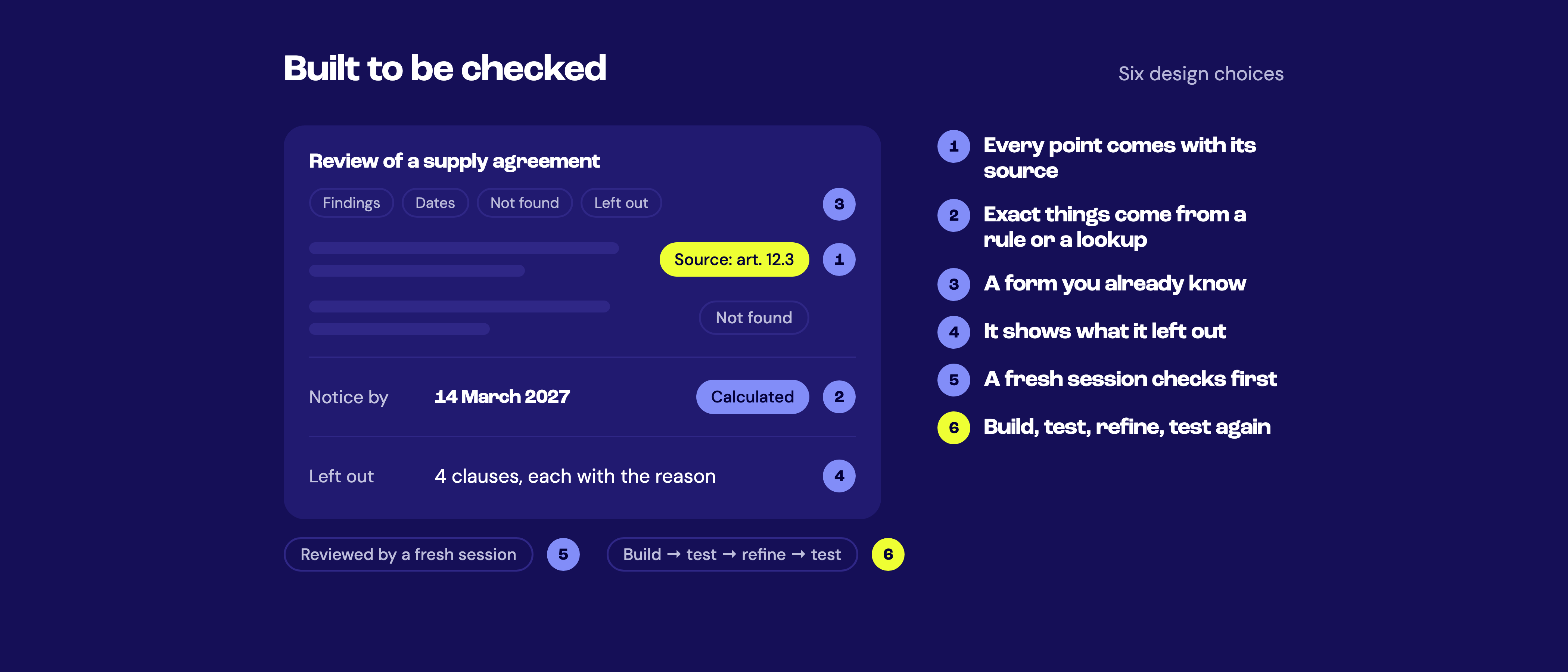
Six design choices make the difference. The examples are workflows we built.
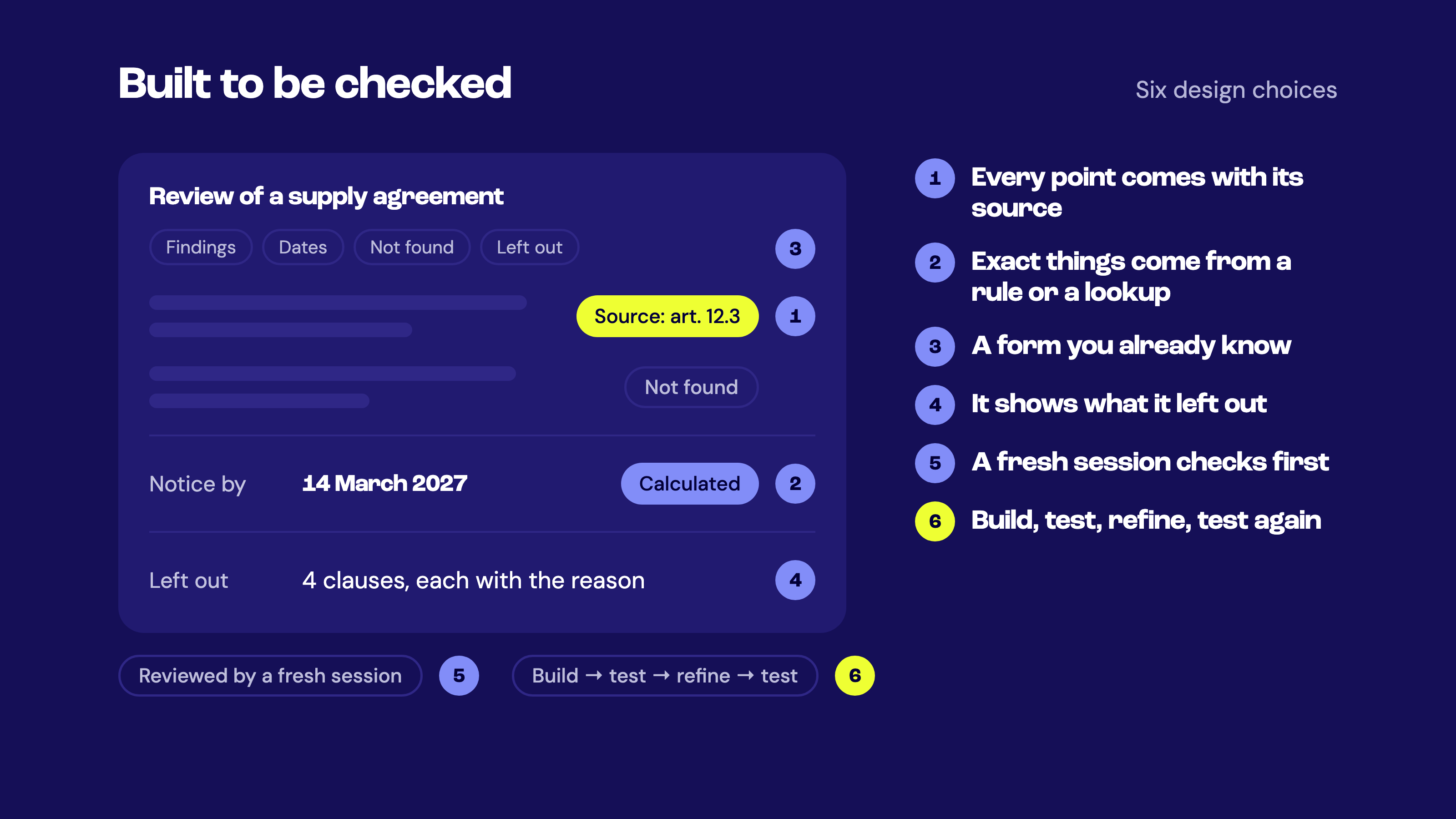
1. Every point comes with its source
Not a list of sources at the end, but the passage next to the point it supports. And when there is no passage, the output says “not found” and does not fill the gap.
In a workflow we built for a UN committee, every point shows where it comes from, and every quotation is checked word for word against the document before a person sees it. Checking then means reading one passage, not searching 150,000 words.
2. Exact things come from a rule or a lookup
A deadline, a sum, a goods code: these have one right answer. Do not ask a language model for them. Calculate them, or look them up.
In our workflow for checking goods codes against sanctions, the answer comes from the official tables. You do not have to check whether the model remembered it correctly, because the model did not answer.
3. The result has a form you already know
If the output looks the same every time, you look in the same place every time. In our overview of rulings on pharmaceutical advertising, every ruling has the same structure, so you can put two next to each other.
The best form is the one lawyers already review in. Our review workflow in Word returns tracked changes. Nobody has to learn how to check tracked changes.
4. It shows what it left out
The hardest part of checking is what is not there. You can read what the model wrote. You cannot see what it skipped.
So make it say so. Our regulator watch gives a daily overview of what came in, what was left out and why. A quick look at the items it dropped tells you whether the filter is still right.
5. A fresh session checks first
Before a lawyer reads the result, let a second model review it against the source documents. A fresh session of the same model also works. It has not seen how the first one reasoned, so it does not defend it.
This does not replace the lawyer. It removes the mistakes a lawyer should not have to spend time on.
6. Build, test, refine, test again
None of this is right the first time. Run the workflow on matters you have already finished, see where it goes wrong, change it, and run them again.
After a few rounds you know where this workflow is reliable and where it is not. That is what makes checking faster: you know where to look.
What stays with the lawyer
Checking does not go away. What changes is what you check. Is this point important? Is this position right for this client? That is where a lawyer’s time should go, and the lawyer decides.
These choices cost work at the start. For a task you do once, that is not worth it. For a task that keeps coming back, it is the difference between a tool your team uses and one it gave up on.