In a training I often ask who has given the same explanation to a chatbot twice. What kind of contract it is, what you look for, how you want the result. Almost everyone.
That is the difference between a prompt and a skill. A prompt is a one-off instruction: you type it, get an answer, and next time you start again. A skill is that instruction written down well once and saved. A recipe, instead of explaining every time how you want it.
Technically it is a text file with instructions in plain language. No code, no black box. You can read it, and you can change it.
We have put a set of them on the site. You can download them without signing up.
Two files, not one
Every skill comes with a second file. That is on purpose.
The skill answers the question: how do we do this job? The knowledge file answers another question: what do we think? For contracts that knowledge file is called a playbook, with your position per topic. For a timeline it is the agreement on what you call an event. For a note to the business it is a profile of the reader.
You notice the advantage when something is wrong. If the position is wrong, you change the knowledge file. If the approach is wrong, you change the skill.
The knowledge file we supply is empty, with a few examples. What we cannot make for you is your recipe. Someone else’s playbook gives someone else’s opinion.
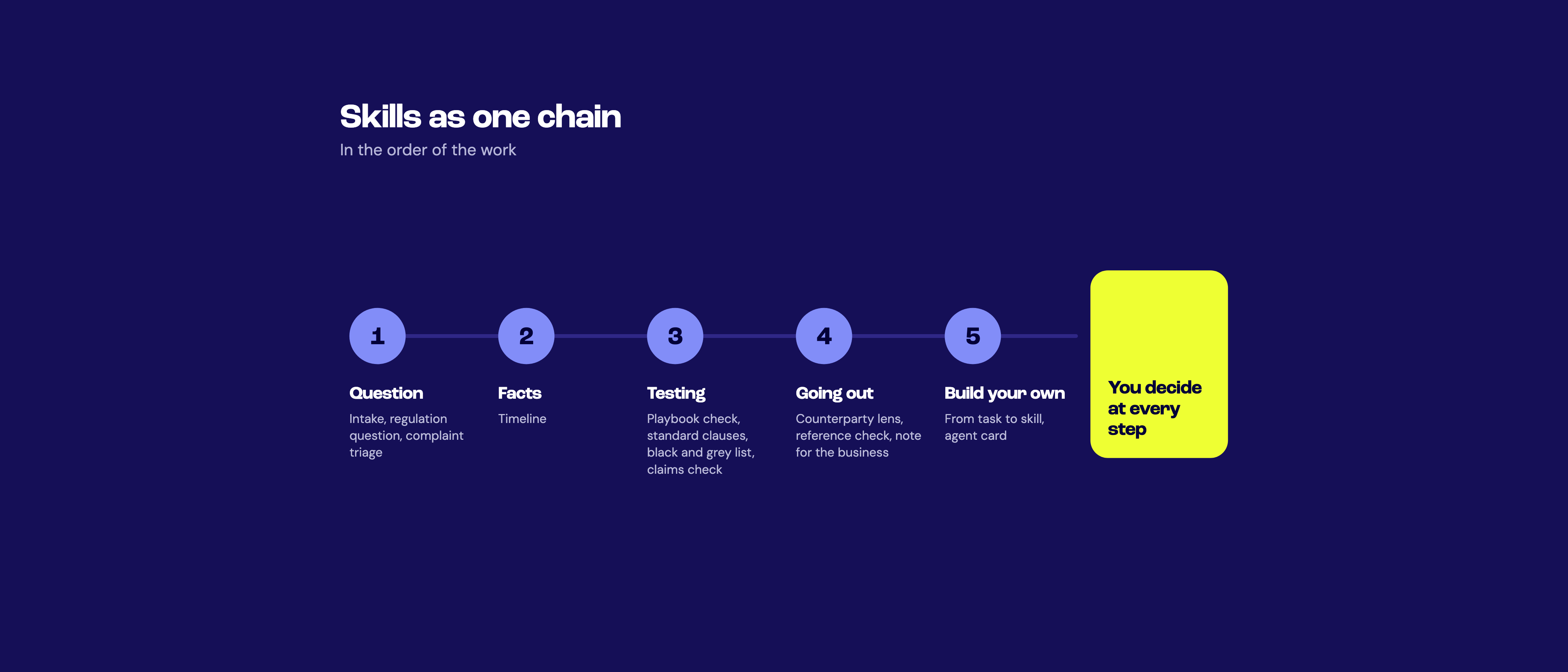
The skills, in the order of the work
- A question comes in. Intake turns a forwarded email into a clear assignment, with the questions that have to go back first. The regulation question gives a first answer from the rules you provide. Complaint triage sorts complaints by risk.
- Getting the facts in order. Timeline puts emails, letters and minutes in order, with a source for every line, and sets contradictions apart.
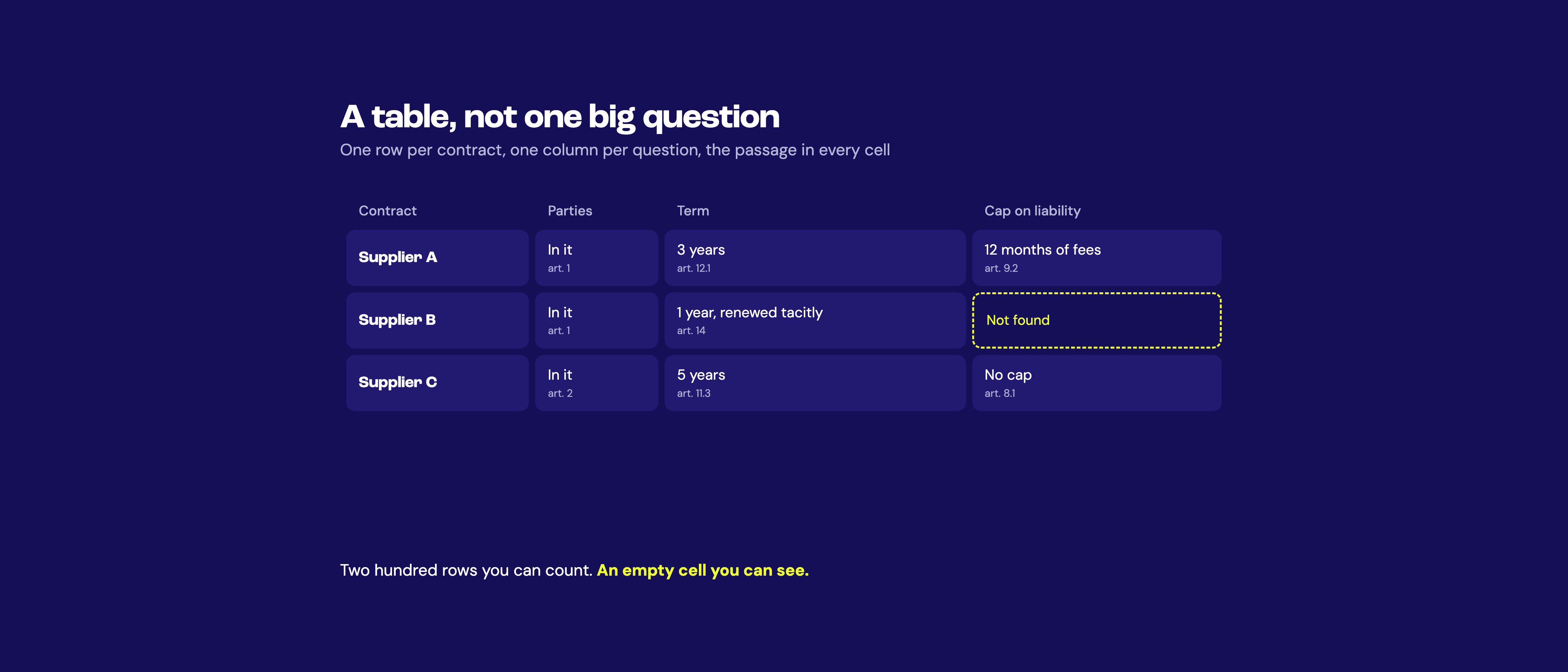
- Testing against what you think. The playbook check puts a contract next to your positions, the standard clauses check looks for your own text in it. The black and grey list does that with consumer terms and the Dutch Civil Code, the claims check with a marketing text and your checklist.
- Before it goes out. The counterparty lens builds the strongest argument of the other side. The reference check goes through every reference to case law. The note for the business turns an advice into one page for the people who have to work with it.
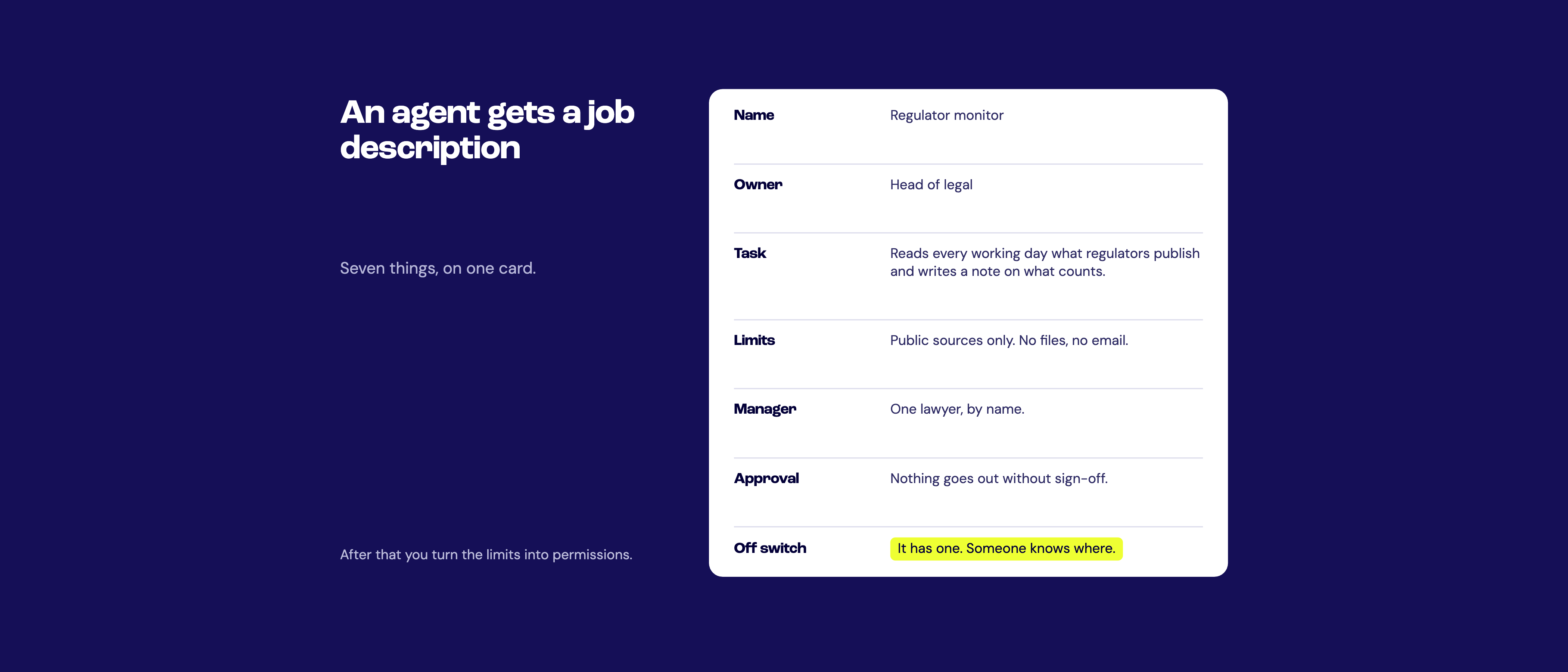
- Building on yourself. From task to skill is an interview with which you make your own skill. The agent card is the job description you fill in before you let anything run on its own.
None of these skills gives a final judgement. They copy, compare and point. What the skill cannot take from your knowledge file, it sets apart for a person. The lawyer decides.
How to start
- Choose one task that comes back. Not the hardest. The smallest version that is already useful.
- Start with the knowledge. Most departments already have it: in a Word file, in old emails, or in the heads of the seniors. If it is not written down yet, write it down first. Four rules are enough to start.
- Fill in the knowledge file and put the skill into your tool. In Claude as a skill or in a project. In Copilot in the instructions of an agent, with the knowledge file added.
- Test on work that is already closed. You know what you did then, so you see at once where the result differs. Take more than one example, and test in a new conversation.
- Give it an owner. One person who keeps track of what changes. Without an owner nobody improves it.
- Keep your test examples. Run them again after every change and after a model update. Otherwise nobody notices that last quarter’s skill has quietly started doing something else.
What to expect
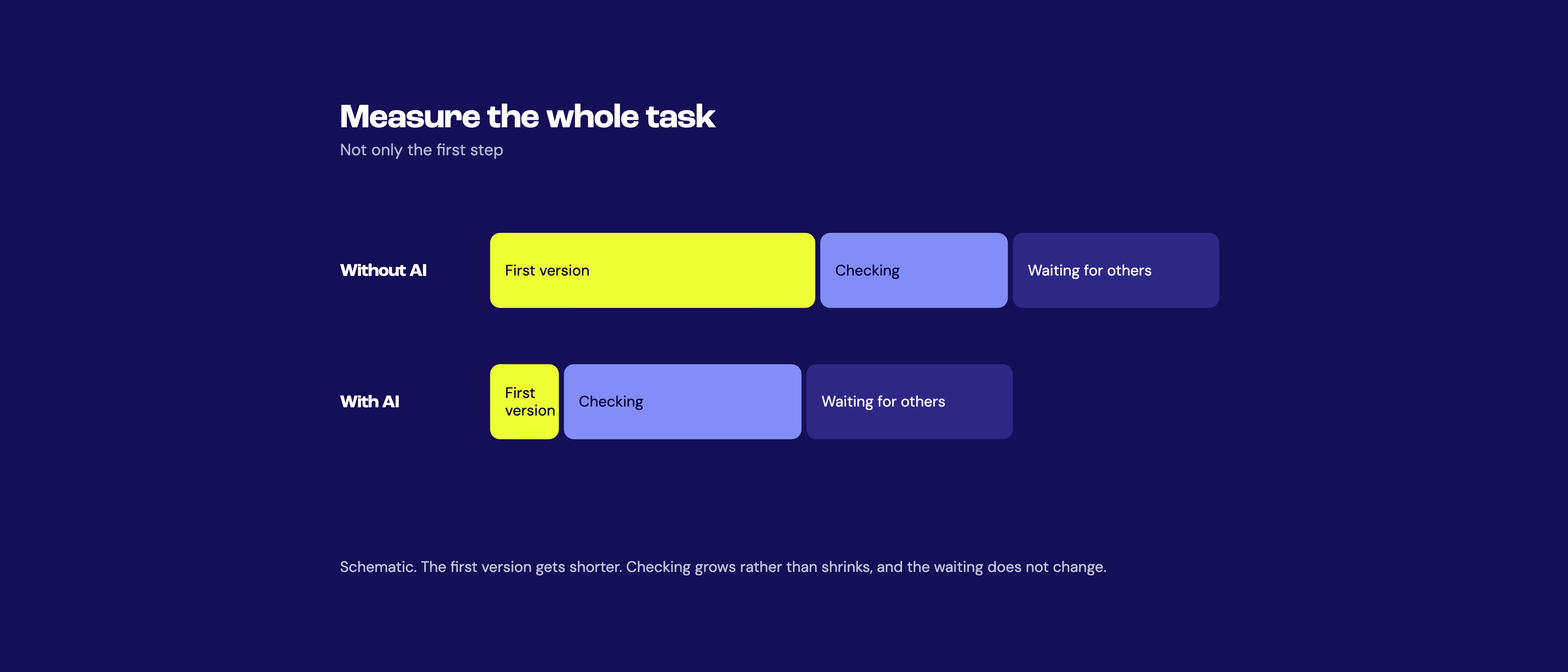
A skill makes the work predictable. The same steps, the same form, the exact words alongside. That makes the result checkable. It does not make it right by itself.
Keep it small. A skill that wants too much is followed less well. What is longer than a page belongs in the knowledge file, or is a second skill.
Read someone else’s skill before you use it, ours included. It is an instruction to your AI tool, and you want to know what it says.
And the same text does not work exactly the same in every tool. Test it in the tool you work in.
No documents of your own at hand that you may use? There is a practice case: a made-up file with errors we planted ourselves, and answer sheets (in Dutch). The words used here are in the glossary.
And do you want to do this with your own team, on your own documents? That is what we do in a training: choose one task, write down the knowledge, build the skill and test it on work that is closed.