Most contract review prompts I see are one line. “Review this NDA and flag the risks.” The model does what it is asked: it flags risks. All of them, for both parties, in an order of its own choosing.
That is not a review. A review is a comparison: this contract, against what we want. A prompt that leaves out what you want gets you a careful stranger’s opinion.
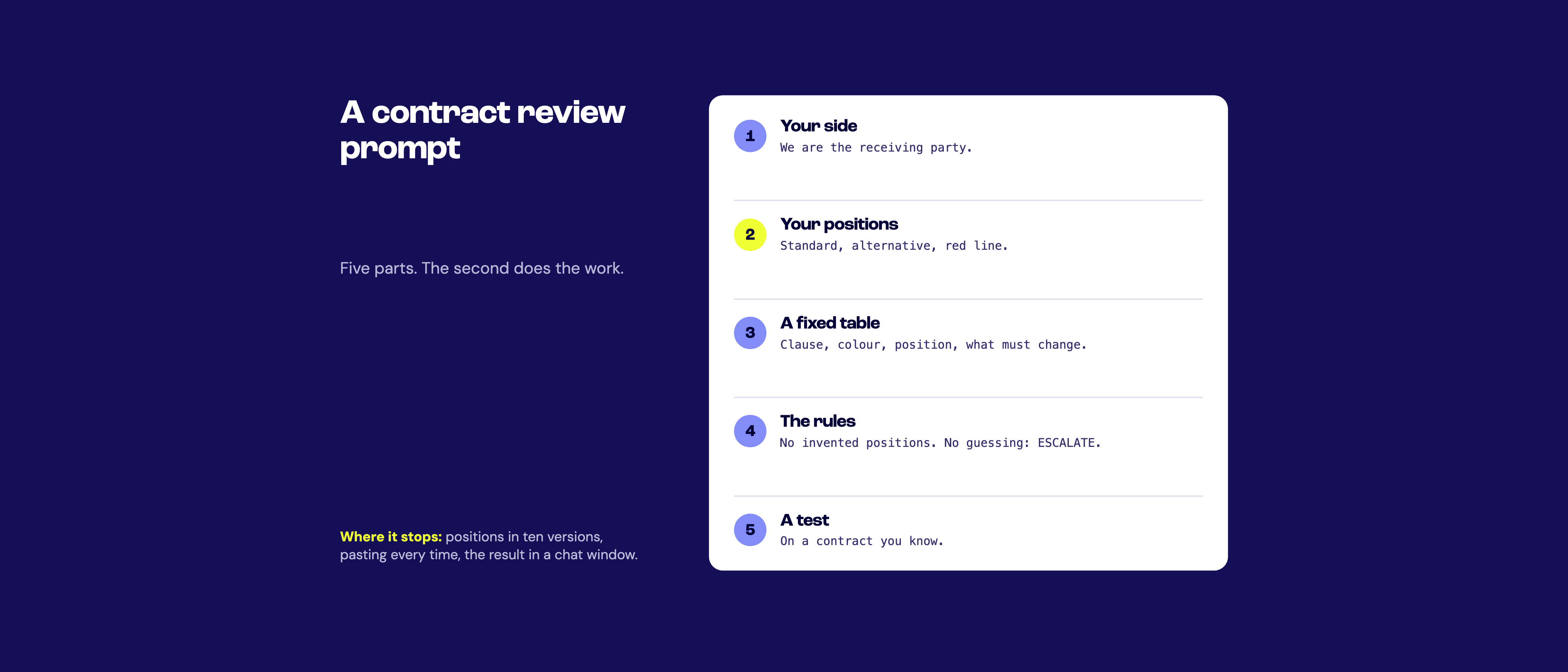
This prompt is the short version of a skill I use in trainings with in-house lawyers: the playbook check. It has five parts, and each part is there for a reason.
The prompt
You are reviewing a contract for [company], which is the [receiving party / supplier / customer] in this contract. Review only from our side. The contract is governed by [Dutch] law.

OUR POSITIONS
[Paste your positions per clause, each with a number or heading: the standard, what we can accept instead, and what we never accept. If you have a playbook, paste it whole.]

WHAT TO DO
Read all of our positions first. Then go through the contract clause by clause and make a table with these columns:
1. Clause number and heading
2. Green, amber or red
3. The position it rests on (number or heading)
4. One line of reason in plain language, with the exact words of the contract
5. For amber and red: the smallest change that makes it green

RULES
- Do not invent positions that are not in our list.
- Do not soften a red because the deal as a whole looks fine.
- Be concrete. Not "cap too low", but which cap the contract has and what our position asks.
- Do not fill in amounts, periods or names that are in neither the contract nor our positions.
- If one of our positions has no matching clause, add a row that says "not in the contract".
- Put anything our positions did not foresee in a separate block, ESCALATE. Do not guess. Say what it is and why it stood out.
1. Say whose side you are on
Without a side, the model reviews for both parties and you get twice the comments at half the use. One line fixes it: who you are in this contract, and that the review is from that side only. Add the governing law. Without it the answer easily leans on American practice.
2. Give it your positions
This is the part that does the work. Is five years of confidentiality too long? For you, maybe not. The model cannot know. Per clause: what you propose, what you can accept, what you never accept.
In most teams these positions exist. They sit in a Word file, in old emails, or in the heads of the senior lawyers. If they were never written down, start with four rules. That is what I do in a training, and it is enough to see the difference.
Give each position its reason, and one or two real example sentences from a contract you accepted. A bare list (“warranty 24 months at most”) works worse than a rule with a why and an example. From people who build review tools, I hear that the examples help most.
3. Fix the form of the answer
A table, the same columns every time, with a colour per clause. Then you can compare two reviews, hand one to a colleague, and see at once where to look. Free text reads nicely and checks badly.
The third column matters most: the position each judgement rests on. A red without a position behind it is the model’s opinion, not yours.
4. Tell it what it may not do
A model wants to be helpful, and that is the risk. It softens a red clause because the rest looks reasonable. It fills a gap with something plausible. In a test this month, Gemini twice filled in an amount that was in none of the documents: 5,000 euros a year in a proposal, and a maximum of 2,500 euros a year for a penalty where the positions named no amount at all.
It also tells you what you want to hear. A model reacts to the form of your question. Add that you think clause 8 is probably fine, and clause 8 is fine. So keep your own preference out of the prompt, and for a red, ask for the strongest argument of the other side. Write factually, without your own reading in it.
Mind column 5 too. A model would rather rewrite a whole clause than replace three words. So ask for the smallest change.
Hence the rules. No invented positions, no softened reds, no amounts from nowhere. And everything the positions did not foresee goes into one block, ESCALATE. That block is the one place where a person has to look, and it is where the next version of your positions comes from.
5. Test it on a contract you know
You test a prompt the way you test a new colleague: on work you know the answer to. Take a contract you negotiated last month. Run the prompt. Compare the table with what you actually did. To do it properly, take ten, and put in the traps that only a lawyer can think of. Where it differs, the cause is usually in your positions: one you never wrote down, or wrote down vaguely.
One habit that helps: do not ask “is this right?” in the same chat. The model that did the work is biased towards its own answer. Open a new chat, paste the contract, the positions and the table, and ask for a second opinion. The review is harder that way.
Before you paste a real contract: check which account you are using and what its terms say about your input. More on that in May a lawyer use ChatGPT?
Where a prompt stops
This prompt will take you a long way for one person and one type of contract. It stops at four points.
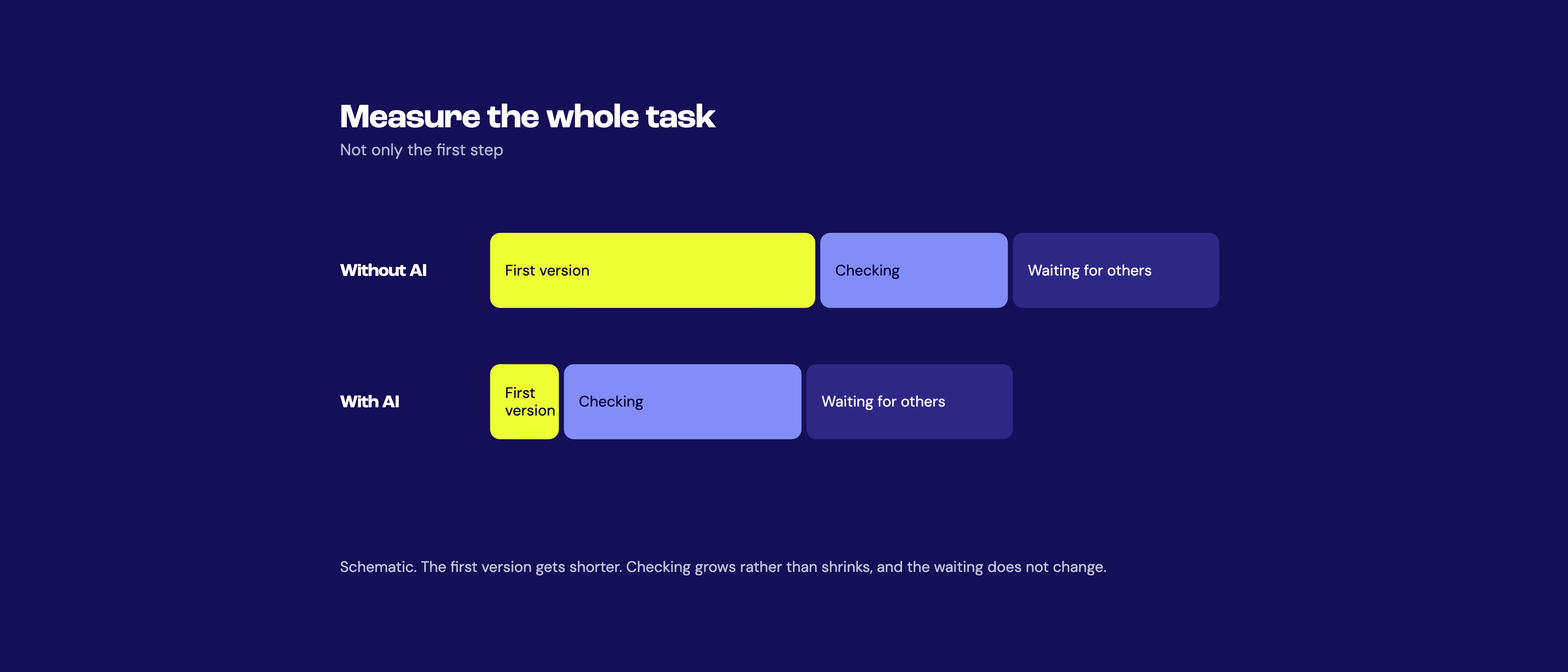
The contract is too long. An agreement of eighty pages in one go gets you a shallow list. Review per topic and merge afterwards. Mind what you paste as well: with a contract that has tracked changes, the model must be able to see what was struck out. Some ways of copying turn a struck-out sentence back into an ordinary one.
The positions live in the prompt. Ten people paste ten versions, and after the first change nobody knows which one is current. The positions belong in one document that Legal maintains: a playbook. The prompt then refers to it.
You paste it every time. A prompt is a one-off instruction: you type it, you get an answer, and next time you start again. A skill is that instruction written down well once and saved, where the work happens: as a skill in Claude, as an agent with instructions in Copilot. The playbook says what you think, the skill says how you work. If the position is wrong, you change the playbook. If the approach is wrong, you change the skill. Give the skill one owner, and keep ten old contracts as a fixed test. After a model update you run them again, or nobody notices that it has quietly got worse.
The result sits in a chat window. A table in a chat is a list of things to do in Word. Where a team reviews in Word, the changes should come back in Word, as tracked changes. That is no longer a prompt. That is something you build.
One caveat: a prompt does not make the review. It makes the first pass. The lawyer reads the table, opens the clauses, and decides.